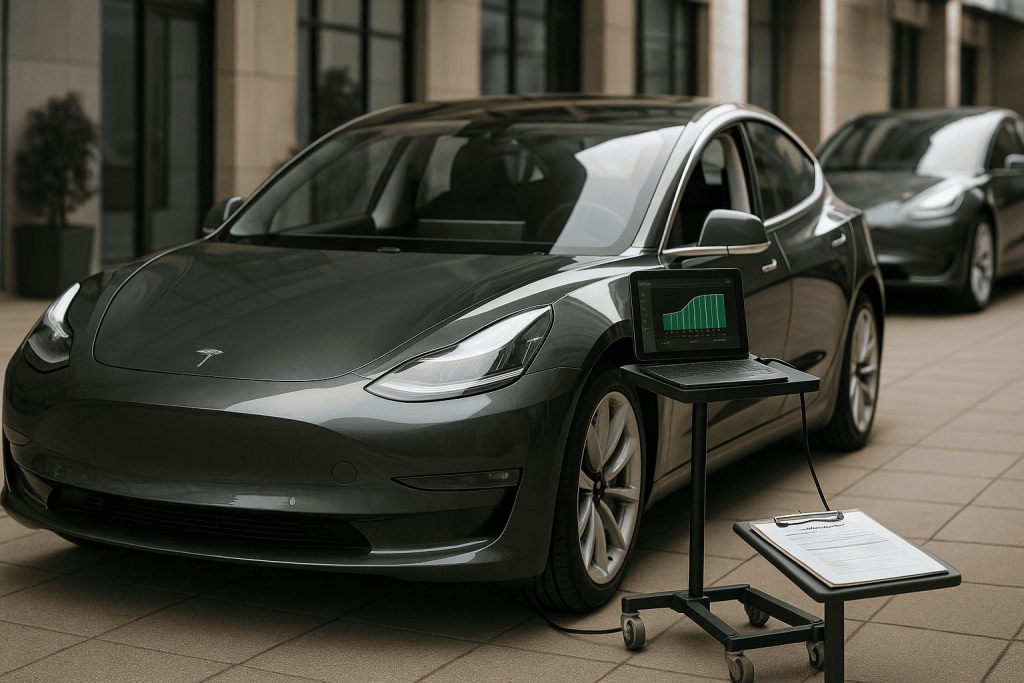
Shopping for a pre-owned Tesla can be fantastic value—if you know how to assess the battery’s health, the car’s hardware generation, and the software history that ties it all together. This practical guide walks you through the essentials so you can separate a great deal from a costly surprise.
Start With the Questions That Matter
The three pillars of a smart Tesla purchase are battery State of Health (SOH), onboard hardware versions (drive computer, infotainment, cameras, chargers), and over-the-air (OTA) software and service history. Confirming these will tell you how the car will charge, how well driver assistance works, what features it supports, and how long the battery is likely to remain strong.
Understanding Tesla Battery SOH
SOH is an estimate of the pack’s usable capacity versus when new. In practice, you can approximate it by comparing today’s “rated” full charge energy to the original nominal capacity for the same variant. Because real-world range varies with weather and tires, capacity-based checks are more reliable than quick test drives.
Quick, No-Tools SOH Clues
Ask the seller to charge to 100% once before inspection and share the displayed rated range. Compare that range to the model’s new rating for the exact trim and wheel size. A moderate drop is normal; unusually low numbers suggest either heavy DC fast-charging history, frequent hot/cold storage, or out-of-balance modules that need a balancing cycle and a proper check.
Deeper SOH Methods With Data
With the owner’s consent, use a trusted OBD-to-Tesla adapter and a well-known app to read pack telemetry such as “Nominal Full Pack,” “Usable Full Pack,” and cell delta (the voltage spread across modules). Small deltas are healthy; large, persistent deltas can hint at imbalance or aging cells. If you can’t use tools, a Tesla service printout of battery health or a third-party inspection specializing in EVs is the next best option.
Charging History Tells a Story
Ask about home AC charging versus DC fast-charging habits. Long-term packs age gently when mostly charged on AC within mid-SOC windows. Heavy reliance on high-power DC, frequent 100% charges, and long storage at very high or very low SOC accelerate wear. Service invoices or owner logs that show mostly AC use and regular preconditioning before fast charging are green flags.
Cold-Climate and Hot-Climate Considerations
In very cold regions, cars that precondition routinely before fast charging usually retain better winter performance. In very hot regions, shaded parking and timely cooling maintenance matter. Visually inspect underbody aero panels and coolant lines for signs of impacts or leaks; a damaged thermal system can limit charge power and hurt longevity.
Know Your Autopilot/FSB Hardware Generations
Tesla has shipped several driver-assistance computers. Early cars used a Mobileye system; later cars use Tesla’s in-house hardware in generations commonly called HW2, HW2.5, HW3 (“FSD Computer”), and newer hardware with upgraded cameras and processing. The installed hardware determines which assistance features run natively, which require a retrofit to improve, and how capable the car will be with current and future software.
Infotainment Hardware: MCU1, MCU2, and Beyond
The Media Control Unit (MCU) drives the screen, maps, voice, and app performance. Older NVIDIA-based units feel slower and may lack some newer features, while Intel- and AMD-based units are snappier and support more modern apps and camera views. Many cars received an infotainment retrofit; verify with the vehicle’s “Additional Vehicle Information” screen and any service invoices describing MCU upgrades.
Camera Sets and Sensor Mix
Different production years carry different camera modules and sensor suites. Check the “Additional Vehicle Information” panel for camera generation and whether the car is configured as a camera-only system or includes radar/ultrasonic sensors depending on build date. These details affect parking aids, visualization quality, and certain safety features.
Onboard Chargers and AC Flexibility
The onboard AC charger rating determines how quickly you can add range at home or at destination chargers. Many Teslas support 11 kW three-phase AC; some older variants differ. Confirm the AC charging capability so your home or workplace setup matches what the car can actually accept.
How to Read the Car’s Software and OTA Story
Open the Software menu and note the current firmware, map data, and the “Additional Vehicle Information” details. Healthy cars update regularly unless the owner has deferred downloads. Read the in-car release notes to see if the vehicle consistently received security and feature updates. Gaps can indicate prior connectivity issues or a car left off Wi-Fi for long periods; a quick test on a known Wi-Fi network can confirm update behavior.
Feature Entitlements and Transfer Caveats
Some software features—premium connectivity, acceleration boosts, or driver-assistance options—may not transfer automatically with ownership in every market. Ask the seller to show the features that are active in the car and confirm which ones will remain after you link the vehicle to your own Tesla account.
Service Records and Warranty Status
Review invoices for any high-voltage repairs, drive-unit replacements, thermal system fixes, or MCU/camera retrofits. Battery and drive-unit warranties vary by model and year; note the remaining distance and time. Cars with clean service histories and proactive maintenance on brakes, coolant, and HVAC filters tend to be better long-term bets.
Brakes, Tires, and the Regen Effect
Regenerative braking extends pad life, but rotors can rust if never exercised. Inspect pads, rotors, and caliper slider pins for corrosion, especially in coastal or cold regions. Heavy EVs also work tires hard; check even wear, alignment history, and load-rated replacements rather than just tread depth.
High-Voltage Safety and Visual Checks
Look for signs of previous underbody strikes near the pack, coolant stains at manifolds, and non-OEM wiring. The pack casing should be clean, with intact fasteners and shields. Inside the cabin, ensure airbags and pretensioners have no unresolved recalls and that all seat occupancy sensors and belt reminders function normally.
Road Test With a Purpose
Drive from low to moderate speeds and test regen strength, HVAC performance, steering feel, and lane-keeping behavior where legal and safe. Try a brief DC fast-charge session to confirm the car preconditions the pack and reaches an expected power curve for its model and temperature. Any unexpected throttling, loud drivetrain noises, or warnings deserve a deeper diagnostic.
Account Transfer and Supercharging Status
Confirm that the seller can transfer the car cleanly to your Tesla account and that the Supercharging access status is clear. Some cars carry legacy free-supercharging or specific billing settings; knowing what applies avoids surprises on your first road trip.
Red Flags Worth Respecting
Unwillingness to show full-charge range, inconsistent OTA history with long unexplained gaps, rapid charge taper even with a warm pack, camera or sensor faults that reappear after resets, and mismatched VIN details between invoices and the vehicle are all signals to pause, document, and renegotiate or walk away.
What a Great Used Tesla Looks Like
A strong candidate presents predictable SOH with balanced cells, a sensible charging history favoring AC, an infotainment and driver-assist stack that match your expectations, clean service records, and steady OTA updates. Ideally, it also comes with evidence of careful ownership—tire rotations, brake fluid tests, cabin filter changes, and documented software feature status.
Conclusion
Buying a used Tesla is easiest when you treat the car as a blend of battery, computers, and software—then verify each layer. Confirm SOH with data, match hardware generations to the features you want, and make sure OTA updates and service history are consistent. Do that, and you’ll land an EV that charges quickly, drives confidently, and keeps improving long after you bring it home.

dont now… I buy some and all good!😅